 ThumbGlance
YouTube Shorts Dimensions: 1080 × 1920, and What Other Shapes Lose
Make a YouTube Short 1080 × 1920 pixels, a vertical 9:16 frame. YouTube Help says Shorts can be uploaded at up to 1080p. It also says square or vertical videos up to three minutes long, uploaded on or after October 15, 2024, are categorized as Shorts. Get started creating Shorts · Three-minute Shorts
YouTube does not state the dimensions for YouTube Shorts as "1080 × 1920" on those pages. We infer it: at 1080p, 1080 × 1920 is the largest frame that fills 9:16 exactly. Everything below that is labelled "calculated" or "observed" is our own work, and the page says where it comes from.
YouTube Shorts frame size at a glance
| Item | Value | Source |
|---|---|---|
| Frame to export | 1080 × 1920 px, 9:16 | Calculated from the 1080p limit and the vertical shape |
| Shapes that count as a Short | Square or vertical | YouTube Help |
| Maximum length | 3 minutes for uploads on or after October 15, 2024 | YouTube Help |
| Maximum upload resolution for Shorts | 1080p | YouTube Help |
| Maximum file size | 256 GB or 12 hours, whichever is less (general upload limit) | YouTube Help |
| Landscape 16:9 | Not a Short; reframe it vertically first | Follows from the square-or-vertical rule |
A 720 × 1280 export is also 9:16. It simply has fewer pixels than the 1080p ceiling allows.
Fitting other shapes into a 9:16 frame (calculated)
If your YouTube Short video dimensions do not form a 9:16 frame, you can do one of two things. You can pad it, which keeps the whole picture and adds bars. Or you can crop it, which fills the screen but cuts the sides. Either way, the result is the same fraction of the frame:
- Pad: share of the 1080 × 1920 frame the picture covers = (9/16) ÷ (source width / source height), for any source wider than 9:16.
- Crop: share of the source width you keep after a center crop = that same number.
So a square video uses 56.25% of a Shorts screen if you pad it. If you crop it instead, you lose 43.75% of its width.
| Source shape | Padded picture inside 1080 × 1920 | Frame covered when padded, or width kept when cropped | Source size needed to crop to 1080 × 1920 without upscaling |
|---|---|---|---|
| 16:9 | 1080 × 607.5 | 31.64% | 3414 × 1920 |
| 4:3 | 1080 × 810 | 42.19% | 2560 × 1920 |
| 1:1 | 1080 × 1080 | 56.25% | 1920 × 1920 |
| 4:5 | 1080 × 1350 | 70.31% | 1536 × 1920 |
| 3:4 | 1080 × 1440 | 75.00% | 1440 × 1920 |
| 9:16 | 1080 × 1920 | 100.00% | 1080 × 1920 |
Half-pixel heights such as 607.5 are exact results. An editor rounds them to whole pixels.
What a landscape clip becomes after cropping
Cropping a 16:9 recording to 9:16 keeps a strip 9/16 × 9/16, or 31.64%, of the original width. How sharp the Short looks depends on what you started with:
| Original recording | Center 9:16 strip | Scale to reach 1080 × 1920 |
|---|---|---|
| 1920 × 1080 (1080p) | 607.5 × 1080 | 1.78× upscale |
| 2560 × 1440 (1440p) | 810 × 1440 | 1.33× upscale |
| 3840 × 2160 (4K) | 1215 × 2160 | 0.89× downscale |
A 1080p landscape clip cropped to vertical has to be enlarged by about 1.78 times. Even a 4K landscape original leaves only a little spare resolution once it is cropped. If you know a scene will become a Short, it is better to frame it vertically when you shoot.
from fractions import Fraction as F
target = F(9, 16)
def share(w, h):
    return min(target, F(w, h)) / max(target, F(w, h))
assert share(16, 9) == F(81, 256) and round(float(share(16, 9)) * 100, 2) == 31.64
assert share(1, 1) == F(9, 16) and share(4, 5) == F(45, 64) and share(3, 4) == F(3, 4)
assert F(1920 * 16, 9) == F(10240, 3)  # 3413.33 px, so you need 3414 px of width
for w, h, scale in [(1920, 1080, '1.78'), (2560, 1440, '1.33'), (3840, 2160, '0.89')]:
    strip = F(h * 9, 16)
    assert f"{float(F(1080) / strip):.2f}" == scale
print('Shorts frame checks passed')
How the top search results disagree (observed)
On October 9, 2026 (UTC), we searched Google for "youtube shorts dimensions" in English, set to the United States, with personalization off (pws=0), and read the top ten organic results. Seven had page text we could read. The other three were a forum thread, a help-community video page, and one page that rate-limited us. We compared what the readable pages claim with YouTube Help as of that date:
| Claim found | Results making it | What YouTube Help says |
|---|---|---|
| 1080 × 1920 at 9:16 | 6 of 7 | Not stated in pixels. Consistent with the 1080p maximum. |
| Shorts are at most 60 seconds | 1 of 7 | 3 minutes for uploads on or after October 15, 2024 |
| A 10 MB file limit | 1 of 7 | 256 GB or 12 hours is the general upload limit |
| You can upload Shorts in 4K | 1 of 7 | Shorts upload at a maximum of 1080p |
| 1920 × 1080 works for Shorts | 1 of 7 | 1920 × 1080 is landscape, and only square or vertical videos count as Shorts |
| Keep content inside a centered 4:5 "safe area" | 1 of 7 | No safe-area figure on the cited pages |
That last row deserves care. A "safe area" here means space kept clear of the Shorts player's buttons and captions. The figure appears in third-party guides, but we did not find it in YouTube Help, and other guides describe the overlays differently. If you need one, check your own Short on a phone instead of trusting a number from a guide.
Those six rows describe the pages as they read on that date. Search results and pages both change, so treat this as a dated snapshot, not a ranking of sites.
Make a portrait cover in the YouTube Shorts thumbnail editor.
For horizontal and other video sizes, see the YouTube video dimensions guide.
For Instagram Reels, use the Instagram Reel size cover maker.
For TikTok, use the TikTok video size cover maker.
Shorts thumbnail size and custom covers
YouTube Short thumbnail dimensions follow different rules from those for the video. YouTube Help lists the general thumbnail rules on its thumbnail page. Our YouTube thumbnail size guide quotes them, including the 50 MB desktop limit for video, Shorts, and podcast thumbnails.
To prepare a vertical cover, use the 2160 × 3840 Shorts preset in the thumbnail resizer.
If the image you saved does not show on your channel, see our saved-cover test from October 6, 2026 below. In that test, Studio showed the new image. Two later channel cards still showed the old one. That was one test, so it does not establish a general delay.
To save the image a Short already uses, paste its link into the thumbnail downloader. It accepts Shorts links, and the image it returns may not be portrait-shaped.
A saved Shorts image and a channel card are separate checks
Can my saved Shorts thumbnail differ from the channel card?
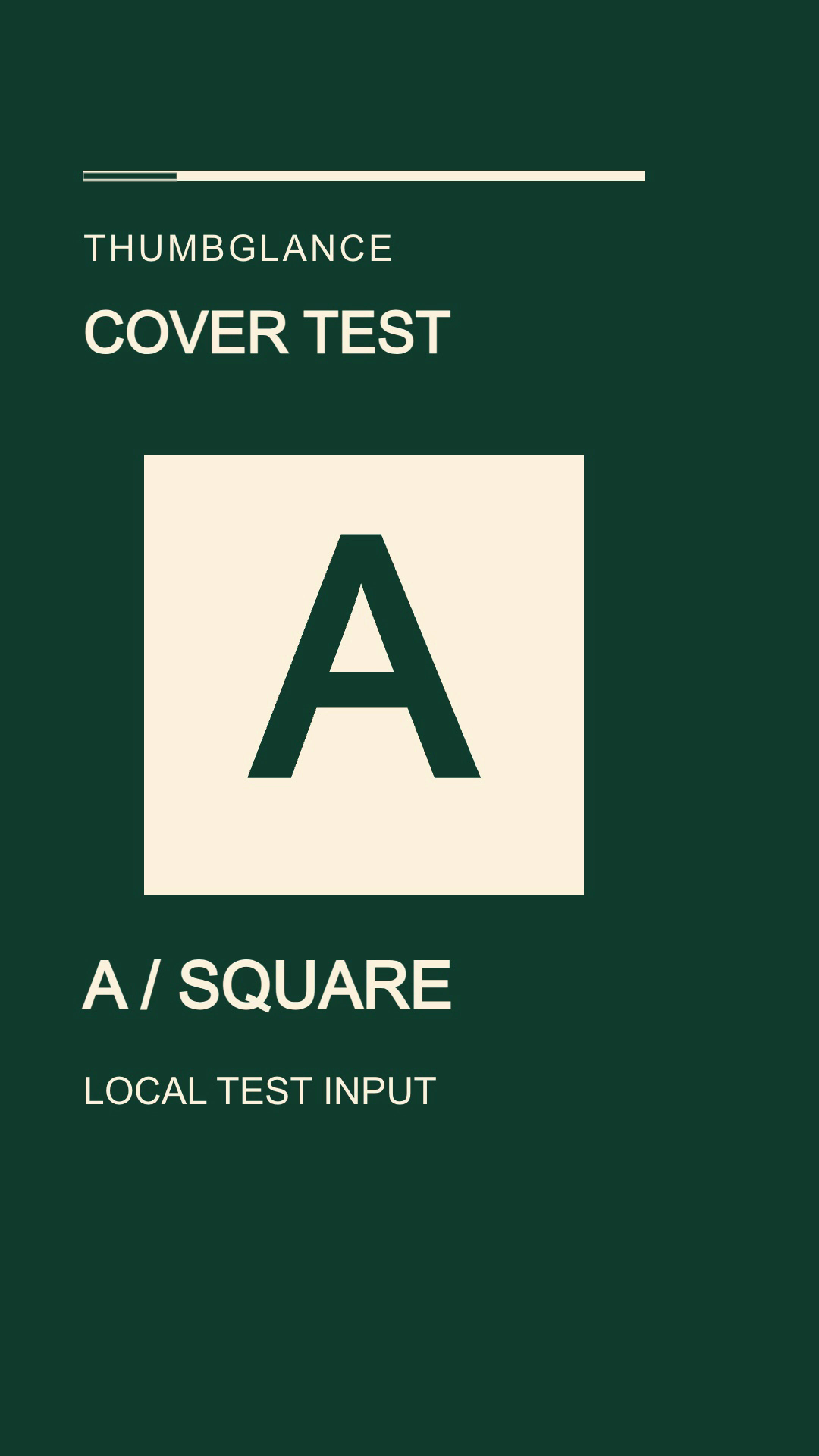
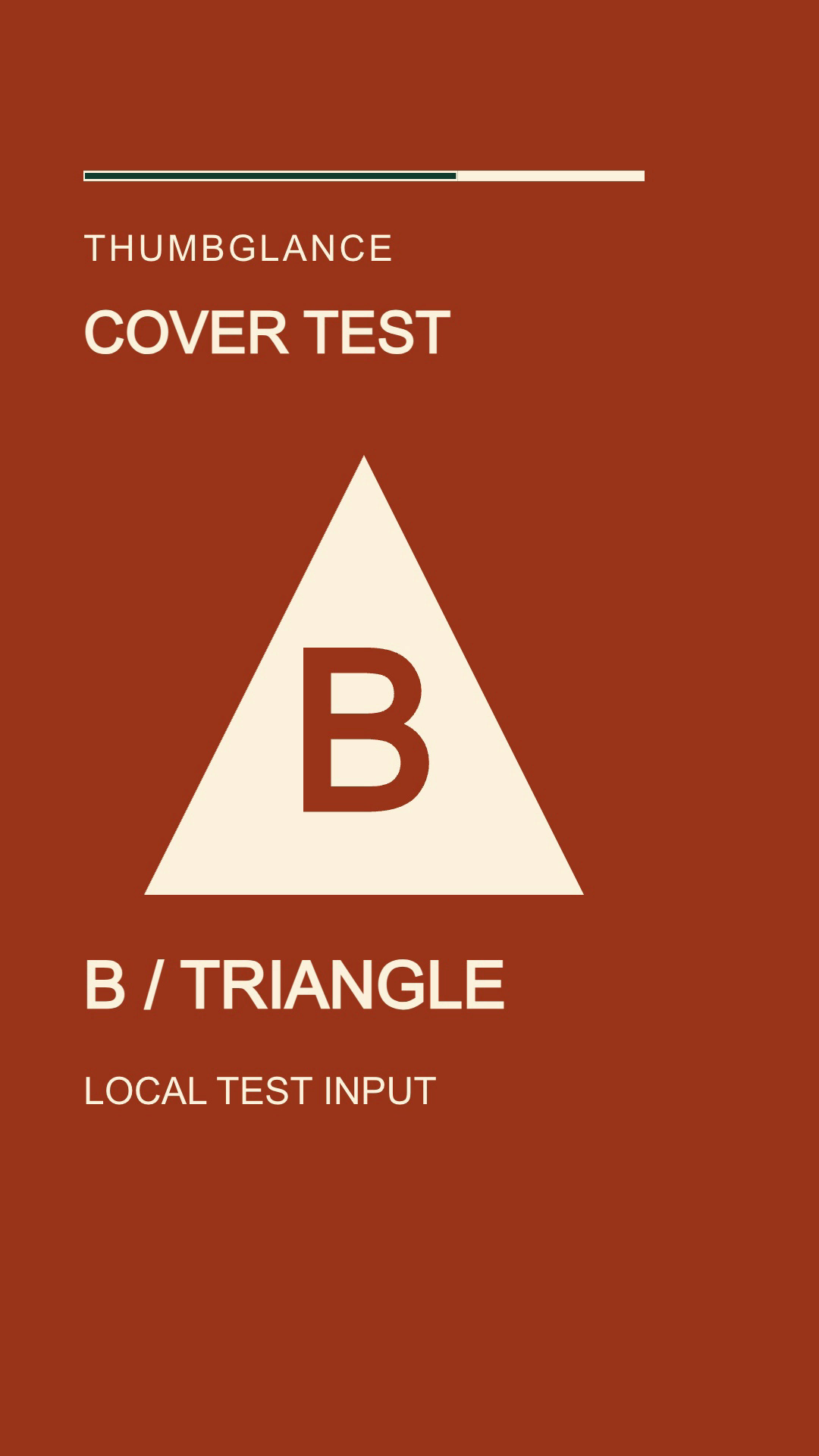
Yes, in this one desktop test. On October 6, 2026, we saved orange image B for our 12-second test Short. Reopening Studio showed B with Save and Undo disabled. Two later static channel Shorts cards still showed green A. That observation does not establish why they differed or how long a change takes.
- Save once, leave the details page, and reopen the same video. Check the saved image separately from the upload preview.
- Open the channel Shorts list without hovering or starting playback. Compare a clear letter or shape in the card with the saved image.
- Record each surface and time. If the player starts immediately, a playing frame cannot identify its pre-play cover.
| Check | UTC time | After B Save click | Observed image |
|---|---|---|---|
| Studio details reopened | 14:08:20.531 | 59.038 seconds | B / TRIANGLE persisted |
| Static channel card | 14:08:23.517 | 62.024 seconds | A / SQUARE |
| Static card revisited | 14:08:56.891 | 95.398 seconds | A / SQUARE |
Our two original 1080 × 1920 PNG inputs use different colors, letters and shapes so the comparison does not depend on color alone. These are source inputs, not screenshots of YouTube.
A / SQUARE
B / TRIANGLE
Download the observations and input checksums. This was one signed-in desktop account on macOS 27.0.1; the exact Chrome version was not recorded. B Save was clicked at 14:07:21.493 UTC. A navigation warning delayed the first B card sample; elapsed times are from the click, not a measured server commit, and the A/B checkpoints were not matched. Later desktop checks showed A in both Studio and the card. No synchronized phone/desktop/player recording was acquired; autoplaying Shorts and Watch pages left the pre-play cover unobservable. This save/readback comparison does not measure cache behavior, propagation time, CTR or ranking. The separate A-card estimate below concerns these retained desktop screenshots only. It does not change the official upload instructions.
Does a 9:16 file always appear in full on a desktop Shorts card?
Not in the desktop layout captured for this test. Our original A image was 1080 × 1920 (9:16), but its static channel card matched a vertical crop much better than a stretched whole frame. The best fit retained about 1080 × 1620 pixels: roughly 150 source pixels from each vertical edge, or about 16% of the total source height removed.
| Image or region | Dimensions | Meaning |
|---|---|---|
| Original A frame | 1080 × 1920 pixels | 9:16 source; byte-identical to the video's decoded frame at 2 seconds |
| Card in the screenshot | About 171 × 255–256 pixels | Approximately 2:3; manually estimated JPEG bounds |
| Best-fitting source region | About 1080 × 1620–1630 pixels | Full-width vertical crop estimate; rounding changes the boundary slightly |
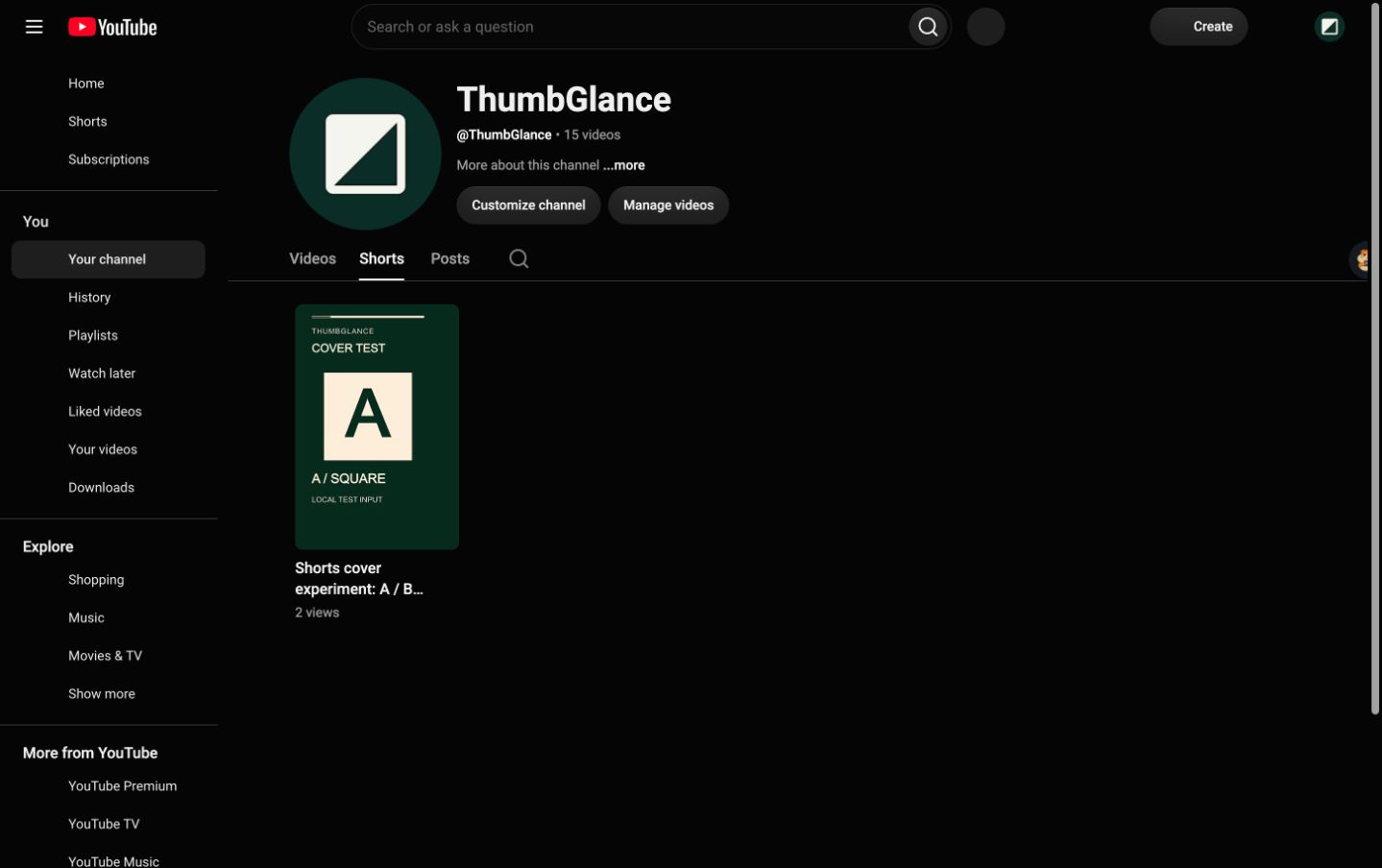
Download the crop estimates, method and checksums and compare the original A input. Five retained screenshots contained two distinct decoded card images, not five independent experiments. The fit held the original width fixed and searched vertical crops; JPEG compression, manually read edges and pixel rounding limit precision. These are estimated source coordinates, not coordinates reported by YouTube. The cards showed A even during the saved-B phase, so no B-card crop was measured. This one account/layout does not establish phone behavior or a universal YouTube crop ratio.
Before you upload
- Export at 1080 × 1920, 9:16. YouTube will not accept more than 1080p for a Short.
- Keep the video to three minutes or less, and keep it square or vertical.
- If your source is not 9:16, choose between padding and cropping using the table above. Both leave the picture covering the same share of the frame or source width.
- Watch the finished Short on a phone before deciding where to put text.